Transform raw data into publication-quality graphs in minutes
Scientific data analysis and graphing software for life science researchers. Move graphs straight into the figures you're already building in BioRender.

Skip manual prep and get analysis-ready data in seconds
Drag and drop Prism, CSV, or Excel files and BioRender automatically formats your data for analysis.
Explore multiple graph types from the same dataset, no restructuring required.

Run the right analysis, backed by automatic pre-tests
Review built-in analysis guidance and automatic pre-tests that explain which test is appropriate and why.
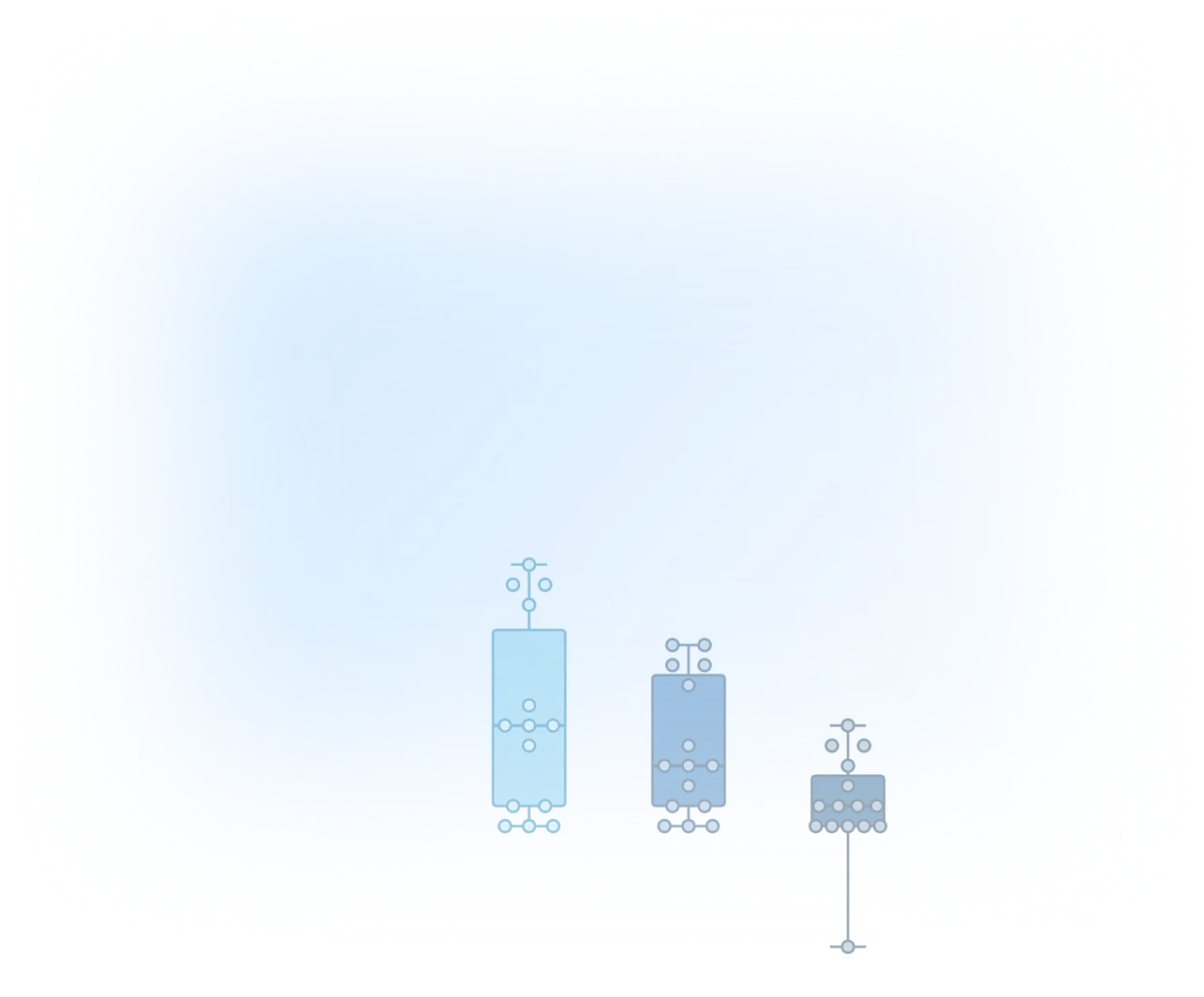
Automatically detect outliers, then exclude them with one click.
Customize graphs without all the clicking
Describe updates to colors, labels, and axes and BioRender AI (Beta) edits in seconds.
Edit graphs manually anytime, undo errors with one click, and live-link to PowerPoint and Google Slides.
Cut the back-and-forth with real-time collaboration
Work from one file to share analysis and update graphs with your team.
Track version history, with easy rollback.
“BioRender Graphing gives us the powerful statistical guidance we didn't know we were missing.”

Thomas Prevot
Scientist and Assistant Professor
CAMH and University of Toronto

Statistical analysis tools built for life science research
It can take 15 minutes to run an analysis in legacy graphing tools. With BioRender Graphing, you can fit dose-response curves, interpolate standard curves, and run t-tests and ANOVAs in just 3 minutes. We add new analyses and graph types regularly. See the full list of statistical tests BioRender Graphing currently supports.
Dose-response modeling with EC/IC calculation and comparisons
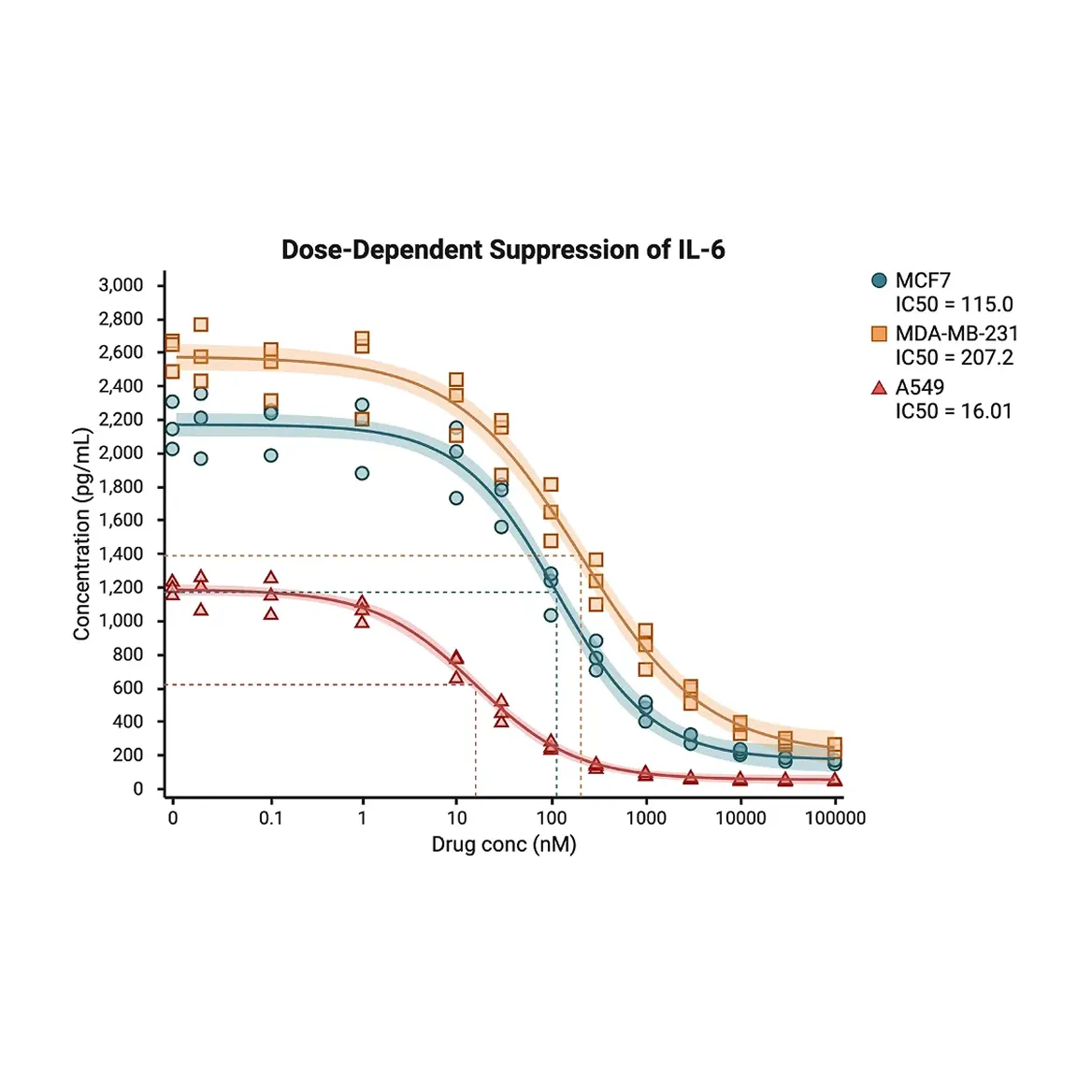
Run non-linear regressions with global curve fitting to generate best-fit curves, confidence intervals, and compare EC50/IC50 values between conditions.
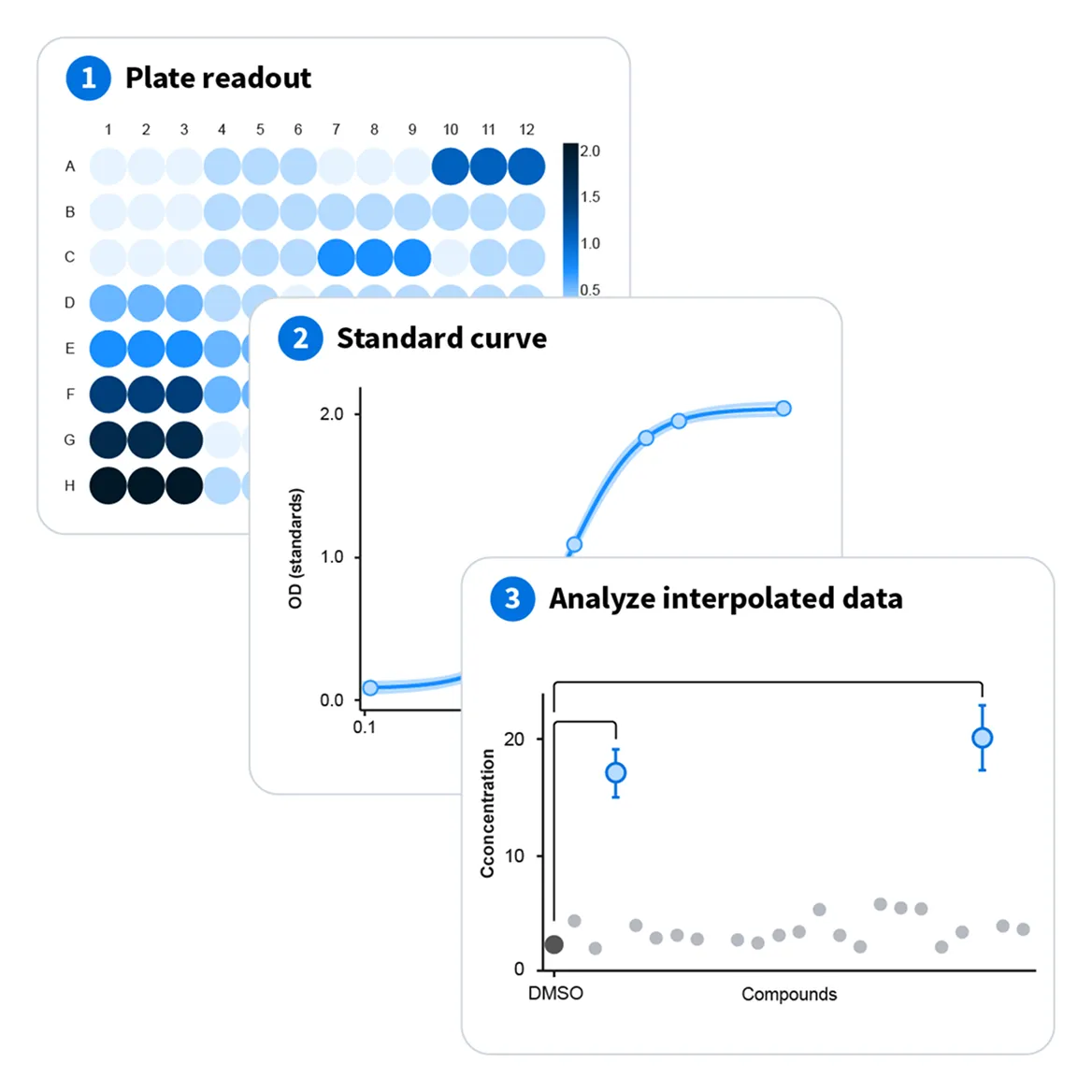
Standard-curve interpolation for ELISA and other assay data
Build your standard curve with known concentrations, then calculate your unknowns and add them as a new dataset to be plotted and tested.
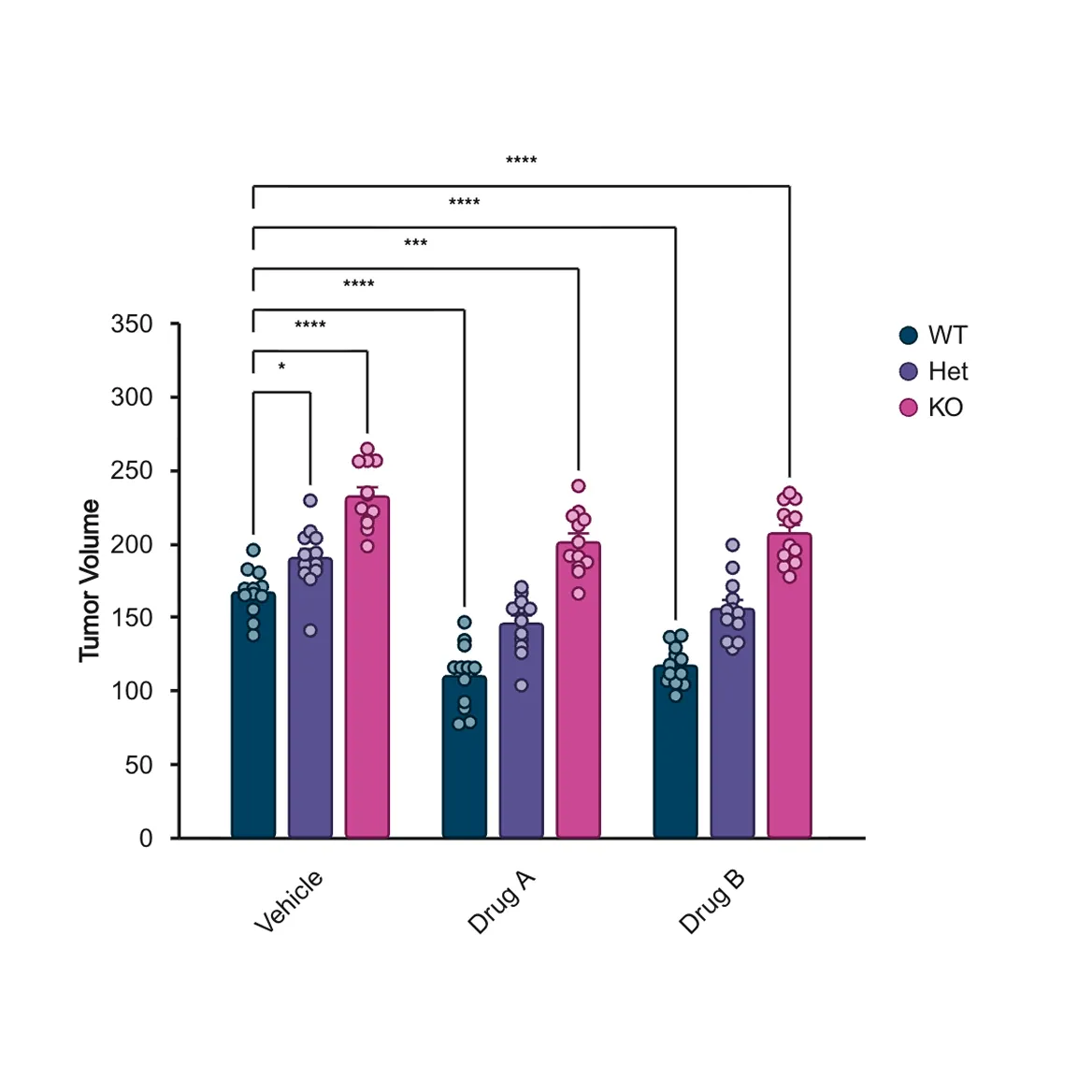
T-test & ANOVA tools for group comparison
Compare outcomes across groups using t-tests, ANOVAs, and nonparametric alternatives, including post hoc comparison tests.
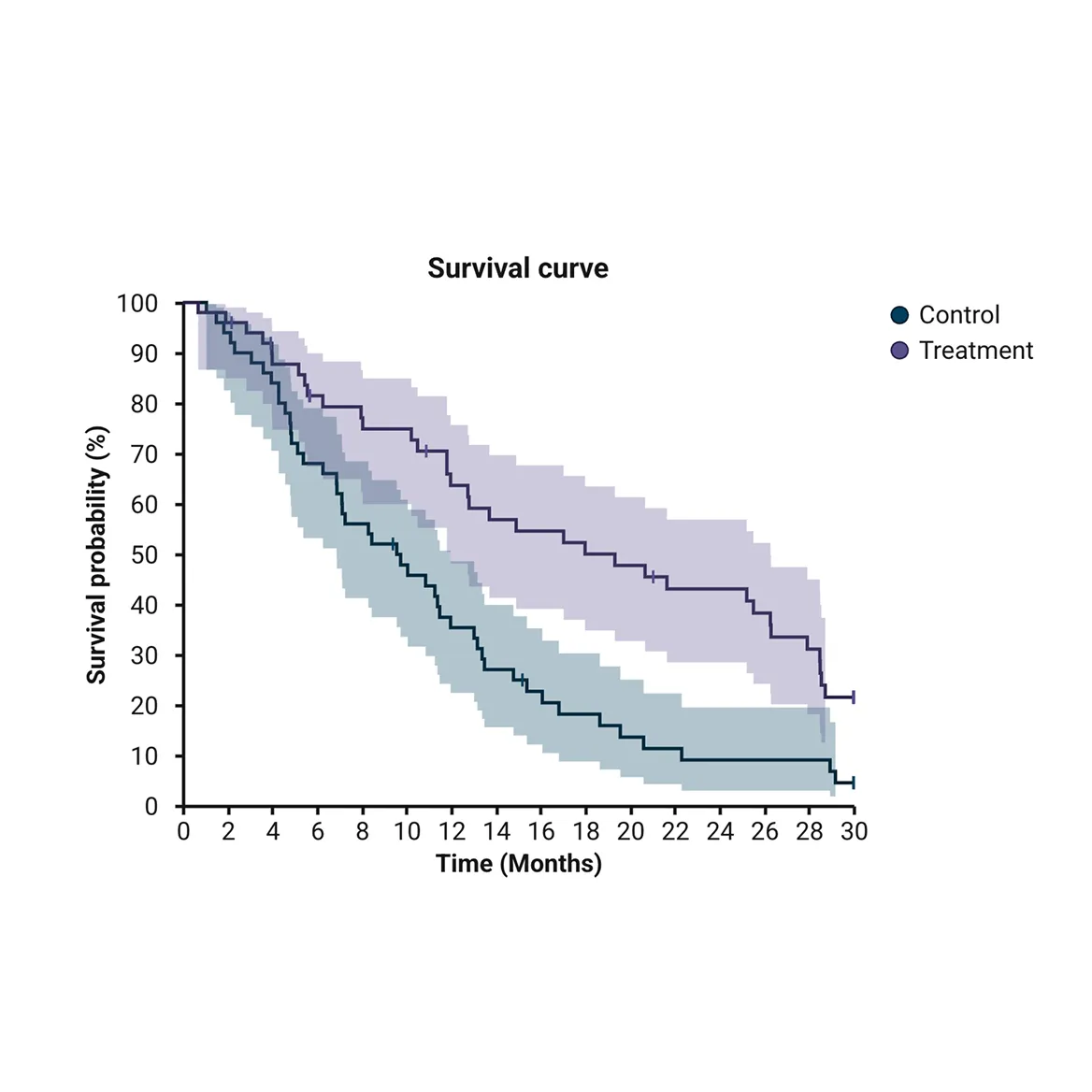
Analyse survival outcomes using Kaplan-Meier curves
Compare survival across treatment groups using Kaplan-Meier curves, log-rank test, and Cox regression, ideal for oncology, immunology, and neuroscience research.
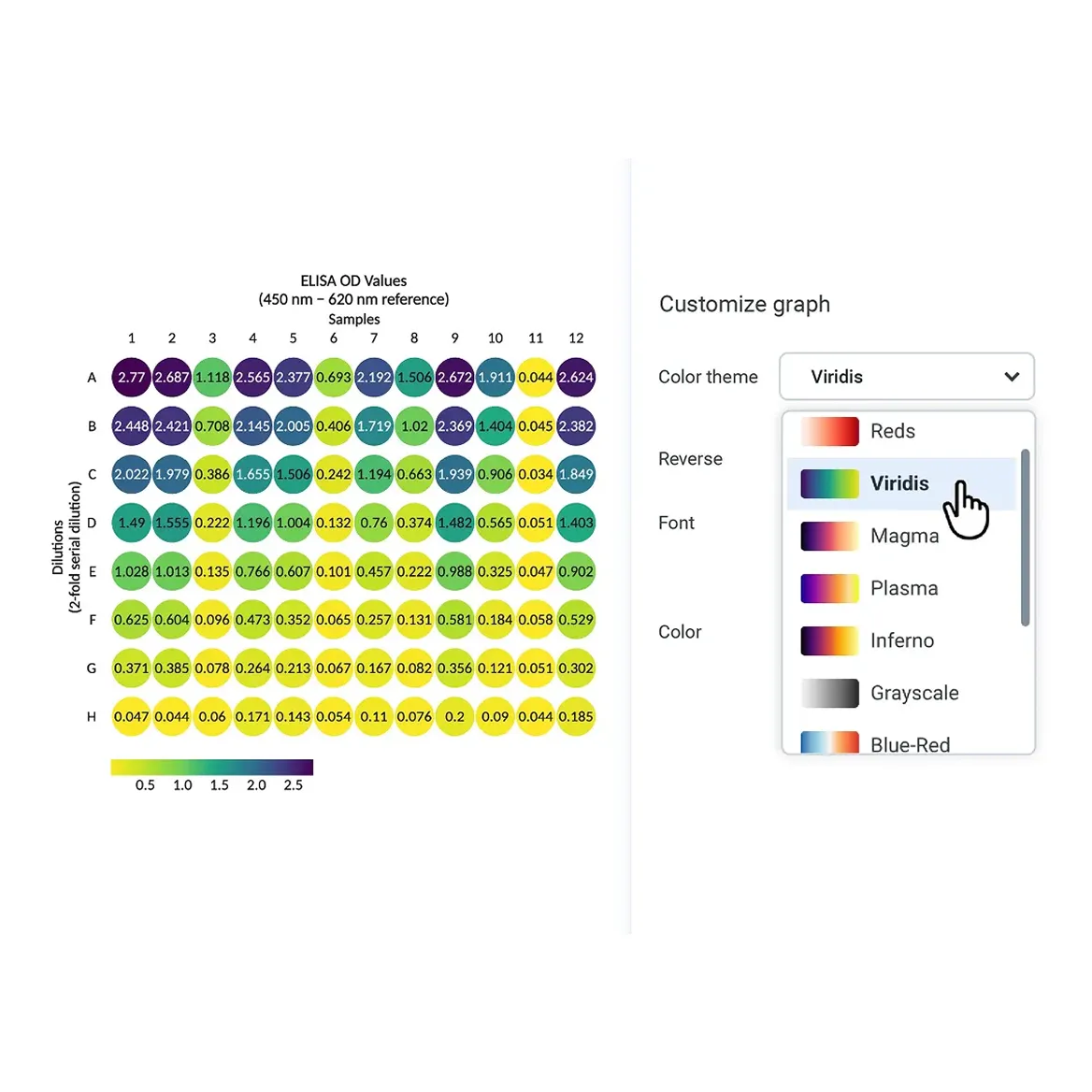
Heatmaps for gene expression and assay data
Create heatmaps and well plate heatmaps to visualize gene expression and multi-well plate assay data.
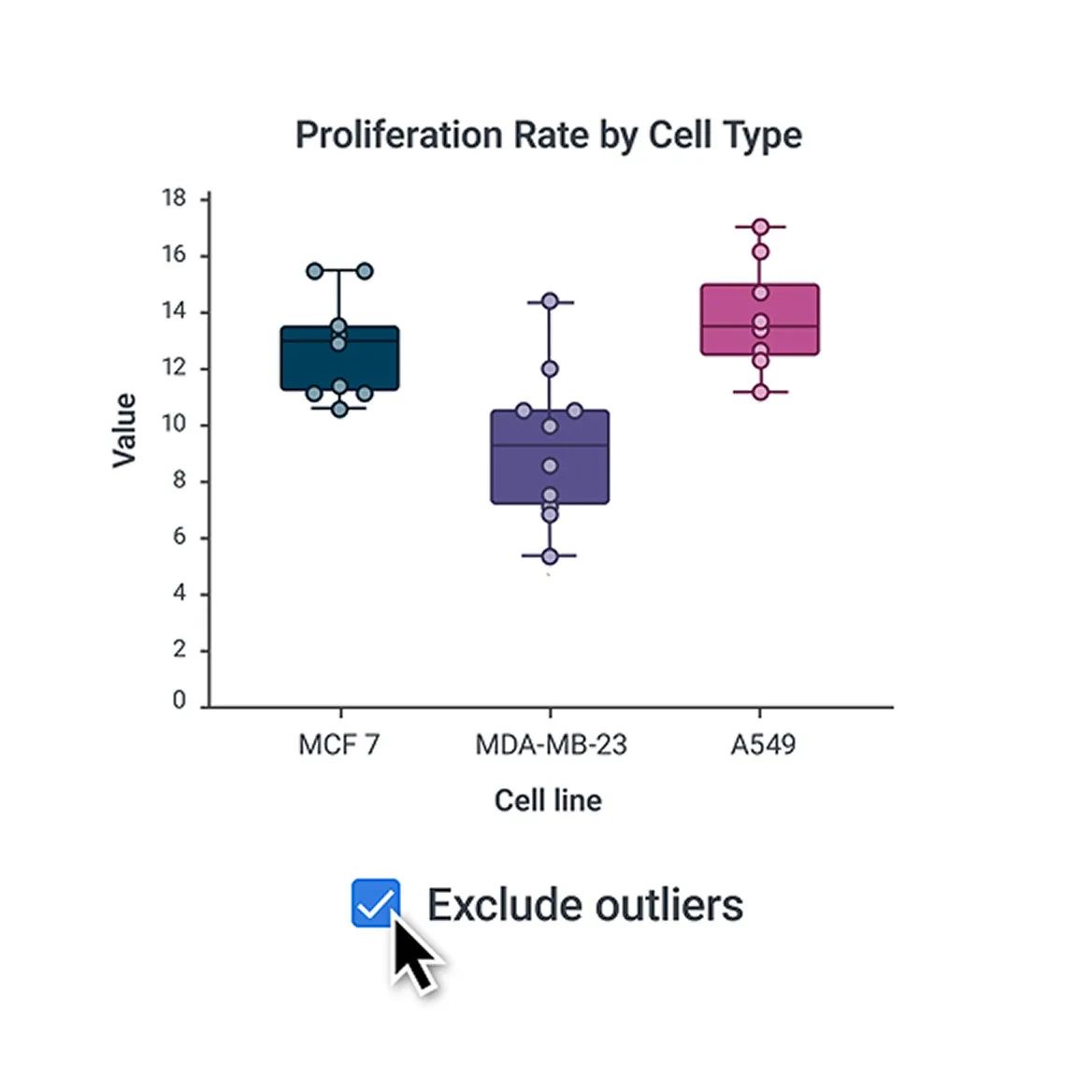
Detect outliers automatically
Detect outliers automatically, preview their impact, and exclude them in one click.
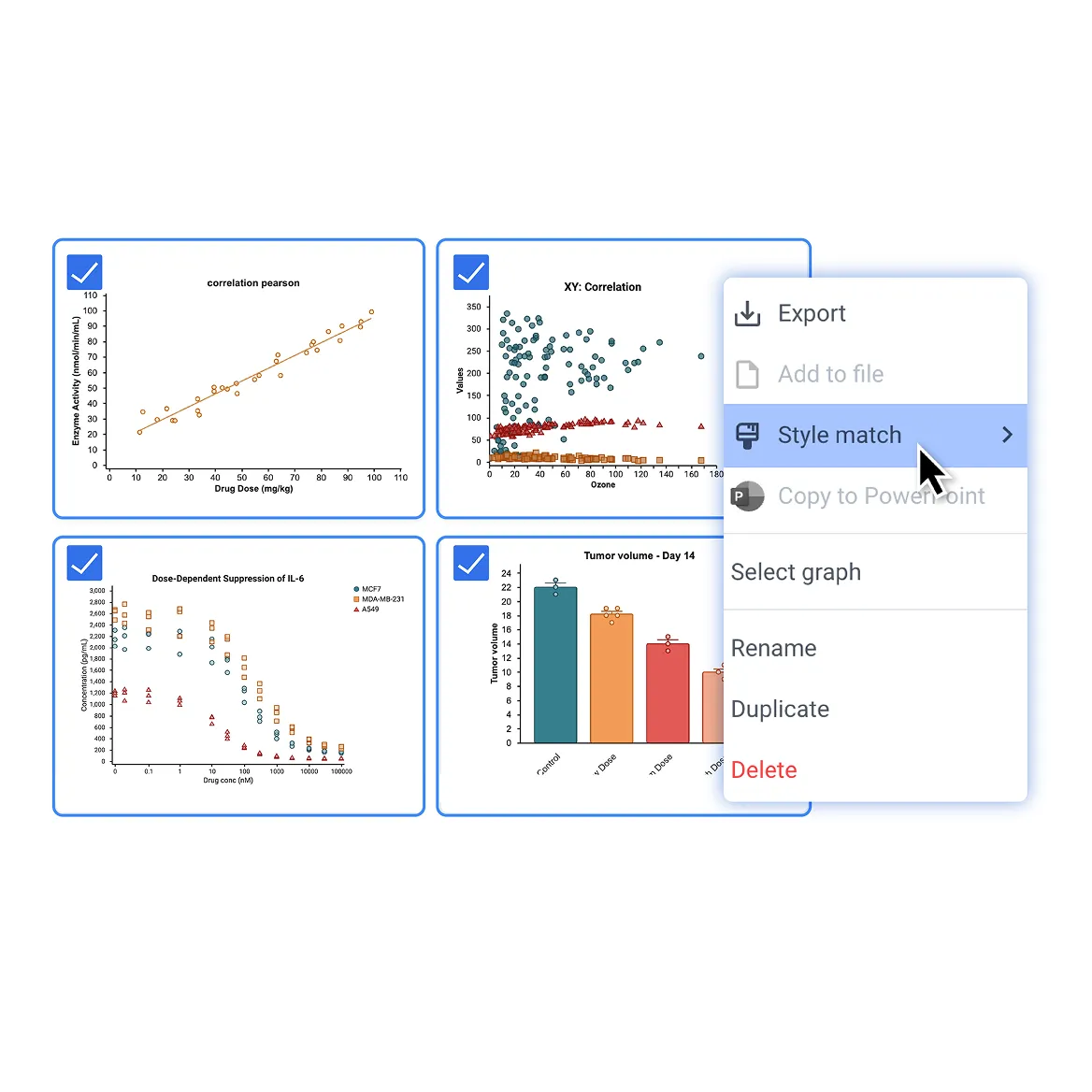
Match styles across graphs
Use StyleMatch to apply the same styles across graphs for consistent, polished presentations.
Learn How BioRender Graphing Works
With BioRender Graphing, you can run analysis and create custom graphs from raw data in minutes. Watch our demo on dose-response curves.

Stay in control of your data
BioRender is SOC 2 Type 2 certified, with encryption in transit and at rest. Your data is private by default, and access controls keep sensitive research data protected as your team grows. Learn more in BioRender’s Trust Center.
When you use BioRender AI (Beta) to customize a graph, your data remains untouched. We never read your data, change what your graph says, or train our models on what you upload.
Frequently asked questions
How does BioRender Graphing compare to GraphPad Prism?
BioRender Graphing is the GraphPad Prism alternative that offers the core analyses scientists rely on, without the manual steps. Import raw data without reformatting, get guided statistical analysis, and use BioRender AI (Beta) to customize publication-quality graphs in one secure workspace. With no installation required and built-in collaboration, you can access your work from anywhere and collaborate with your team in real-time. Compare BioRender Graphing vs. GraphPad Prism.
What is BioRender Graphing?
BioRender Graphing is a cloud-based scientific data analysis and graphing tool for life science researchers. It supports t-tests, ANOVAs, nonparametric tests, dose-response with global curve fitting and EC50/IC50 (EC/IC) calculations, standard-curve interpolations (ELISA, qPCR, and other assay data), and Kaplan-Meier survival analysis, with automatic data formatting, outlier detection, and statistical test recommendations. Graphs are publication-quality from the start, easy to customize with BioRender AI (Beta), and sync across presentations. Access from any browser and on any device, no installation required.
What statistical tests does BioRender Graphing support?
BioRender Graphing supports dose-response, standard-curve interpolation (ELISA, qPCR, and more), t-tests, ANOVAs, Kaplan-Meier survival analysis, and more, all computed in R for reproducible, citable results. For modeling relationships: simple linear regression, simple logistic regression, correlation, and nonlinear modeling of growth, decay, and dose-response. For interpolation: standard curve fitting, with calculation of unknown concentrations from linear and nonlinear regressions. For comparisons between groups: t-tests, one- and two-way ANOVAs, with nonparametric alternatives. For survival analysis: Kaplan-Meier survival analysis and Cox proportional hazards regression. Statistical assumption checks include outlier detection (ROUT method), Shapiro-Wilk test of normality, and Levene's test of equal variances. Review the full list of supported graph types and statistical tests.
Can I make a Kaplan-Meier survival curve in BioRender?
Yes. BioRender Graphing supports simple survival analysis using the Kaplan-Meier method, as well as Cox proportional hazards regression. Import your survival data and generate publication-quality survival curves in minutes, with all analyses computed in R.
What graph types are available?
BioRender Graphing supports bar, column, line, scatter, pie, grouped, and boxplot charts, as well as survival curves, dose-response curves, heatmaps, and well plate heatmaps. Violin plots, forest plots, and volcano plots are coming in late 2026. All analyses are computed in R for reproducible, citable results. Review the full list of supported graph types and statistical tests.
Can I import GraphPad Prism files into BioRender Graphing?
Yes. Simply drag and drop your Prism files into Graphing. Your Prism graphs are automatically recreated in the BioRender style, with your analyses intact. Learn how to import GraphPad Prism files.
How do I calculate EC50 and IC50 values from dose-response data?
BioRender Graphing calculates EC50 and IC50 values automatically using 3-, 4-, and 5-parameter dose-response modeling. Simply import your data, select dose-response regression, and BioRender will generate best-fit curves, confidence intervals, and EC50/IC50 values, all computed in R for citable results. Optionally, compare EC/IC values between conditions with an F-test after global curve fitting.
Is BioRender Graphing free?
All BioRender plans include one free Graphing file with up to three datasets. For unlimited Graphing files, paid subscribers can purchase the Graphing Add-On. There is no additional cost for using BioRender AI (Beta) to customize graphs, and no AI credits are required.
Is BioRender Graphing included in my BioRender subscription?
BioRender Graphing is included in all plans, with one free file and up to three datasets. To get unlimited Graphing files, BioRender subscribers with a paid plan can purchase the Graphing Add-On. Individual paid plan subscribers can log in to purchase the Graphing Add-On. If you’re on a team plan, reach out to your Admin to add the Graphing Add-On to your subscription. For pricing details, visit BioRender's pricing page or contact your CSM to learn more.
Does BioRender Graphing use R for statistics?
Yes. All statistical analyses in BioRender Graphing are computed in R, using documented packages and functions. This means your methods are fully transparent, reproducible, and citable.
Can I use my graphs in presentations, publications, and posters?
Yes. Graphs in Graphing match the look and feel of your other BioRender figures, and can easily be added to any of your BioRender presentations or posters in high resolution. Once added to your BioRender canvas, graphs live-link to PowerPoint or Google Slides.
Is my research data private and secure?
Yes, BioRender is SOC 2 Type 2 certified, with encryption, access controls, and continuous vulnerability monitoring that keep sensitive research data protected, even as your team grows. For more details, visit the BioRender Trust Center.
When you use BioRender AI (Beta) to customize a graph, your data remains untouched. We never change what your graph says or train our models on what you upload.
Ready to try BioRender Graphing?
Turn your raw data into publication-quality graphs today.